A simpler school day.
Timetable, attendance, grades and homework in one place that loads on the school's oldest laptop. The office sets it up in an afternoon. Families never pay and never see an advert.
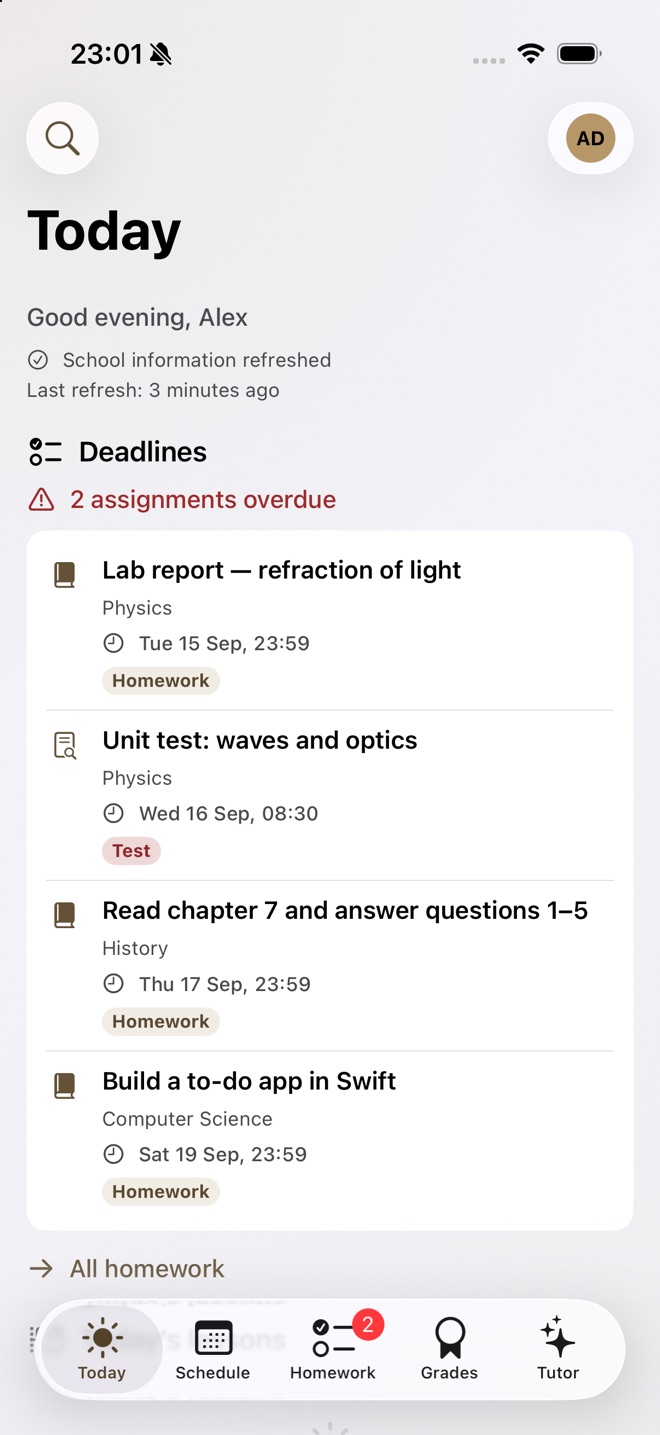
What Bell is
One system, three jobs. Nothing is bolted on afterwards, so the office, the staffroom and the kitchen table all see the same school.
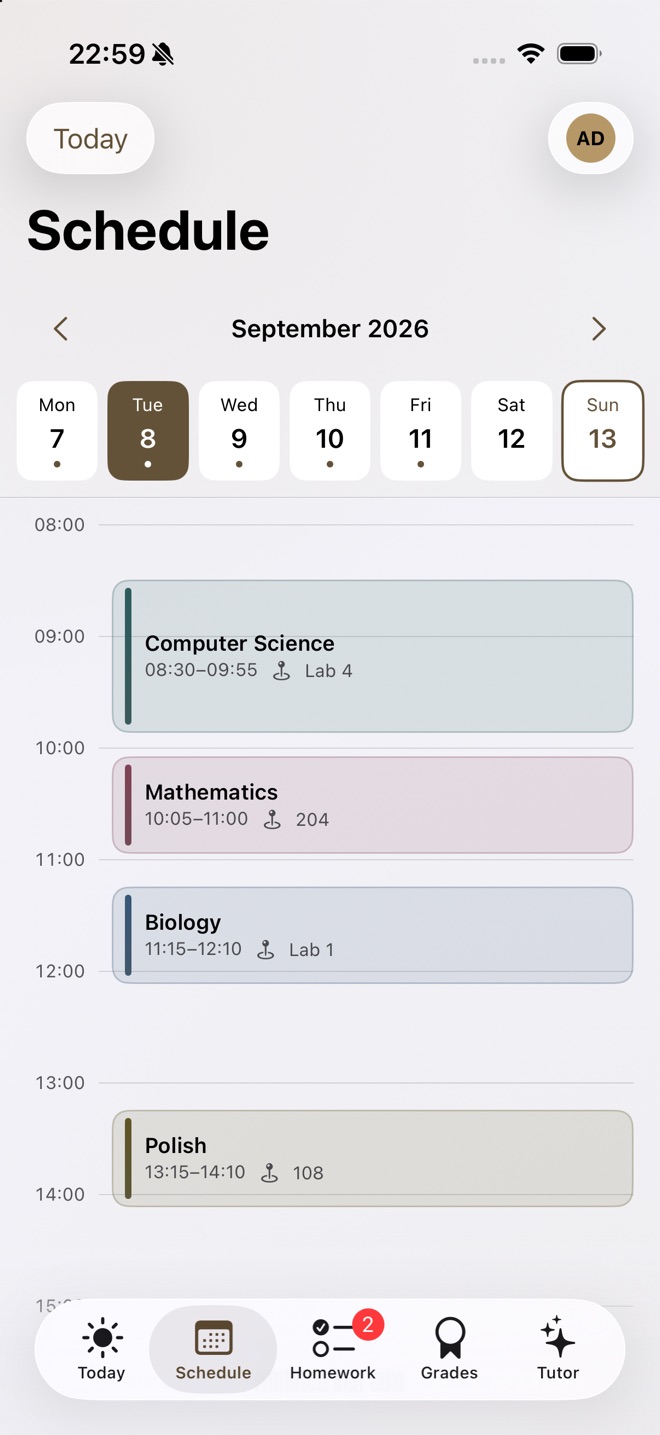
Timetable
The week as it really is. Substitutions, room changes and free periods, coloured by subject.
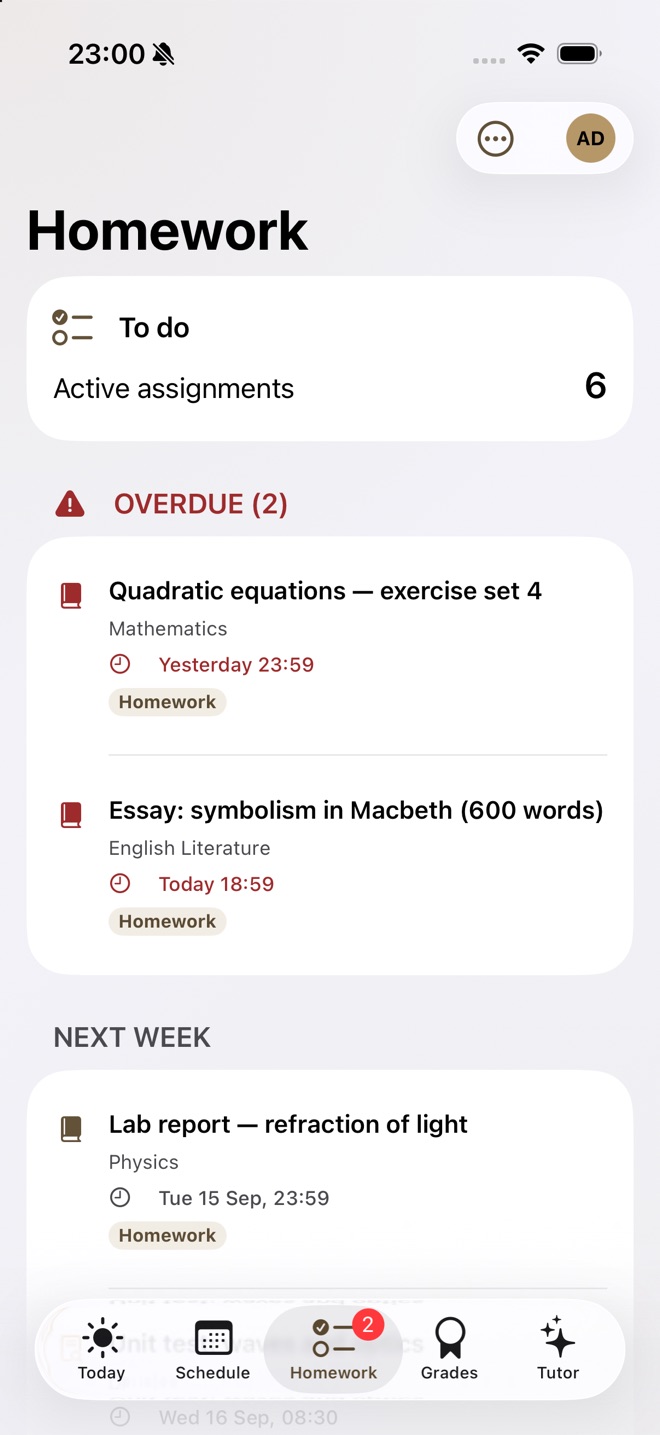
Homework
Deadlines that cannot hide. Overdue work in red, next week already in view, hand in from the phone.
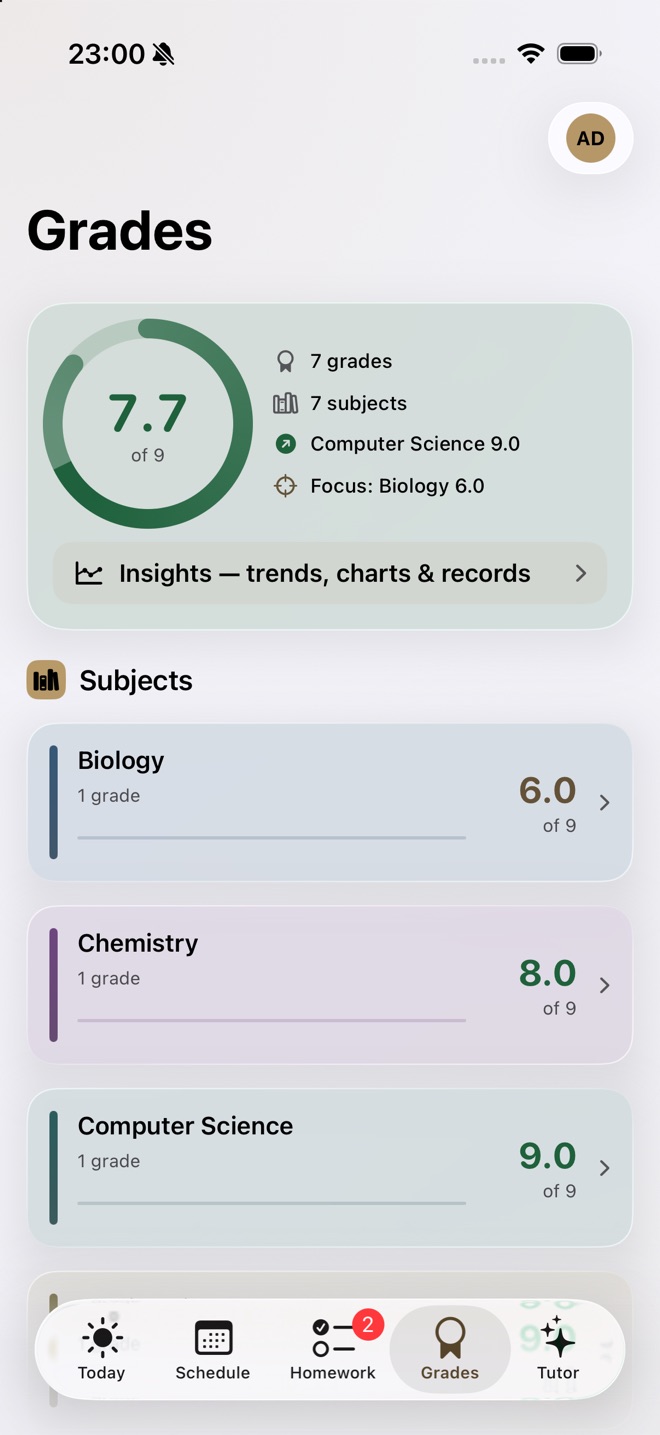
Grades
Marks on the school's own scale, with the weight each one carries, so an average is never a surprise.
A study tutor
Optional, and only with a key the school controls. It knows the timetable, so revision starts with the next test.
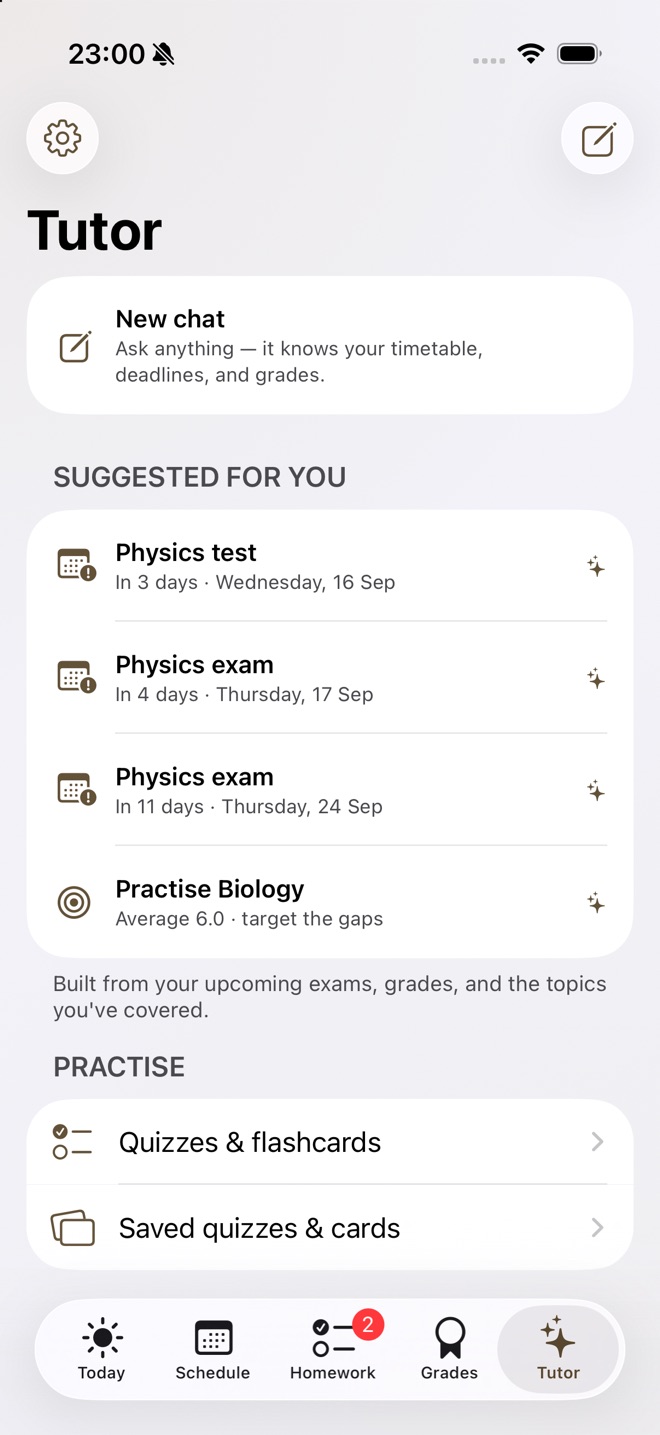
The demo school opens when the platform goes live. Ask for a walkthrough in the meantime.

If you are the student
School software is usually something done to you. This one is meant to be quick, quiet and honest about what your school can see.
One screen for today
Your lessons, the room, what is due and what changed since this morning.
Hand work in from your phone
Save a draft, hand it in when it is ready. If the signal drops, your work is still there.
Marks that make sense
Your grades on your school's scale, with the weight each one carries.
You can see what is stored
Download a copy of your data, or ask your school to delete your account, from inside Bell.
Request Bell for your school
Tell us the school and who to write to. A real person answers within two school days with a demo and a date for the onboarding afternoon. No account is created and nothing is charged.
Write to hello@bell4schools.com
The form that does this without email arrives with the platform. Until then a real person reads that address and answers within two school days.
What it costs
One price, paid by the school, once a year. No per-feature tiers, no charge for parent accounts, no charge for the app.
Polish non-public schools
25 PLNper pupil, per yearAt least 3,000 PLN, never more than 12,000 PLN. A school of 250 pupils pays 6,250 PLN a year.
International and US schools
€10 / $11per student, per yearAt least €2,500. English first, with the data-processing agreement and subprocessor list ready for your data-protection officer or district counsel.
Families
Nothing everThe school pays. Families never pay, never see adverts, and are never asked for a card. The iPhone app is part of the school's licence.
Annual, invoiced in September. The first pilot school pays nothing for its pilot term. Prices are for the 2027/28 school year and may change for later years.
Where the data lives
Bell runs on infrastructure it operates itself in the European Union, with encrypted backups that are restored for real, not just taken. Every third party Bell uses is named, with the reason it exists, in the subprocessor list. There is no analytics company, no advertising network and no AI provider on it.
A person can download a copy of their data, or ask the school to delete their account, from inside Bell. A school takes everything with it on the day it leaves.
The privacy notice, the data processing agreement, the terms for schools and the subprocessor list are written and reviewed before any school signs. Ask for them at hello@bell4schools.com and they come by return.